The product

Every part of the floor, on one desk.

Agents get the call. Managers get the floor. Admins get the settings. Nothing to install on the phones.

The agent's desk

The call pops. Everything else is already there.

  • The caller's name, number, city, local time and lead source show before the agent picks up the desk phone.
  • A returning lead pops with who spoke to them last, what was promised, every note and the last recording.
  • Outcomes on one key each: Sold, Callback, Not interested, No answer, Do not call, Other. Every call gets one.
  • The sale form opens pre-filled from the caller: carrier, product, premium, frequency, effective date. Saved with one shortcut.
  • Callbacks booked in the caller's time zone, owned by an agent, due soon and overdue in plain sight on the agent's day.
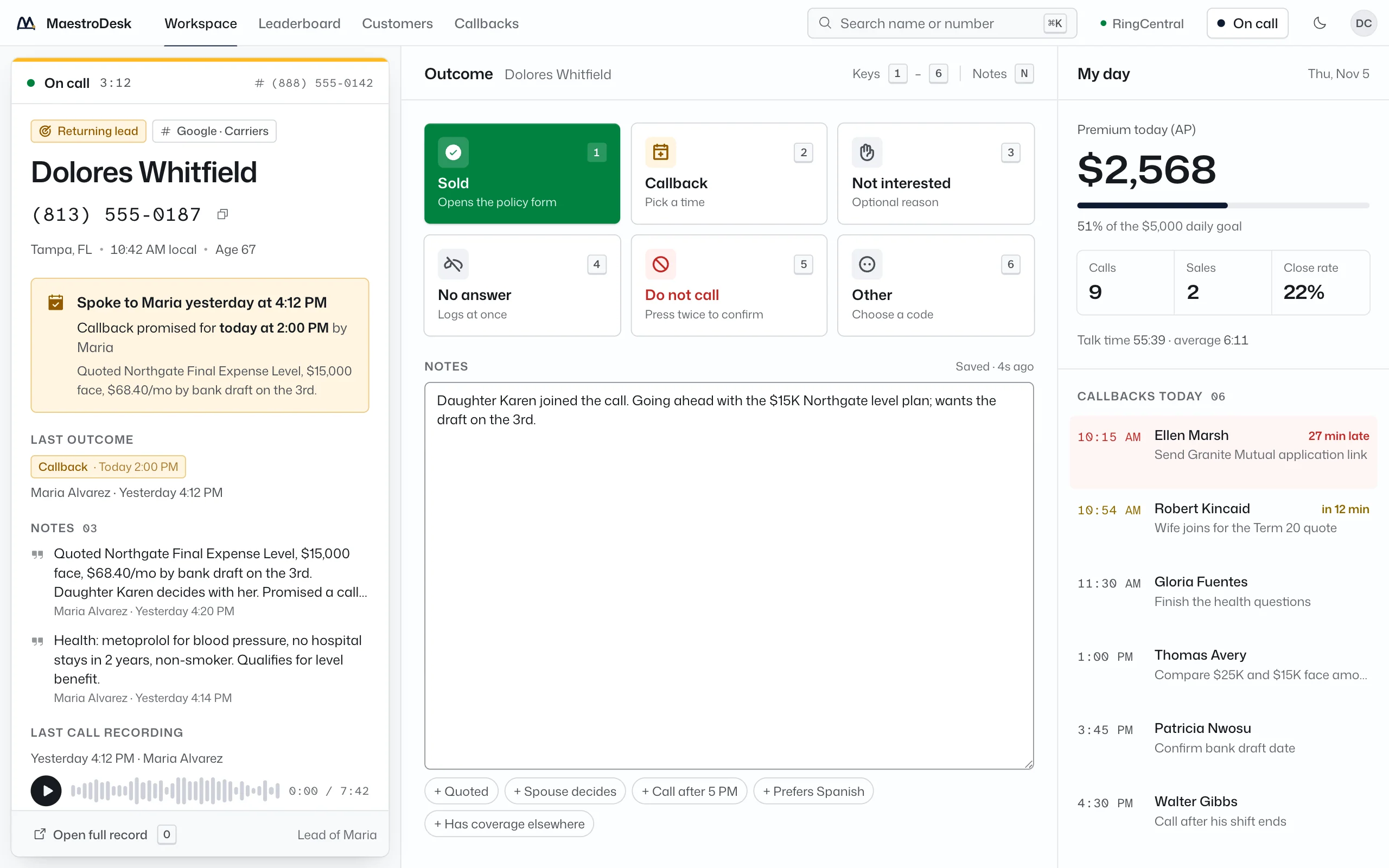
The agent workspace on a call: the call pop with the caller's history on the left, outcome keys in the center, the agent's day on the right
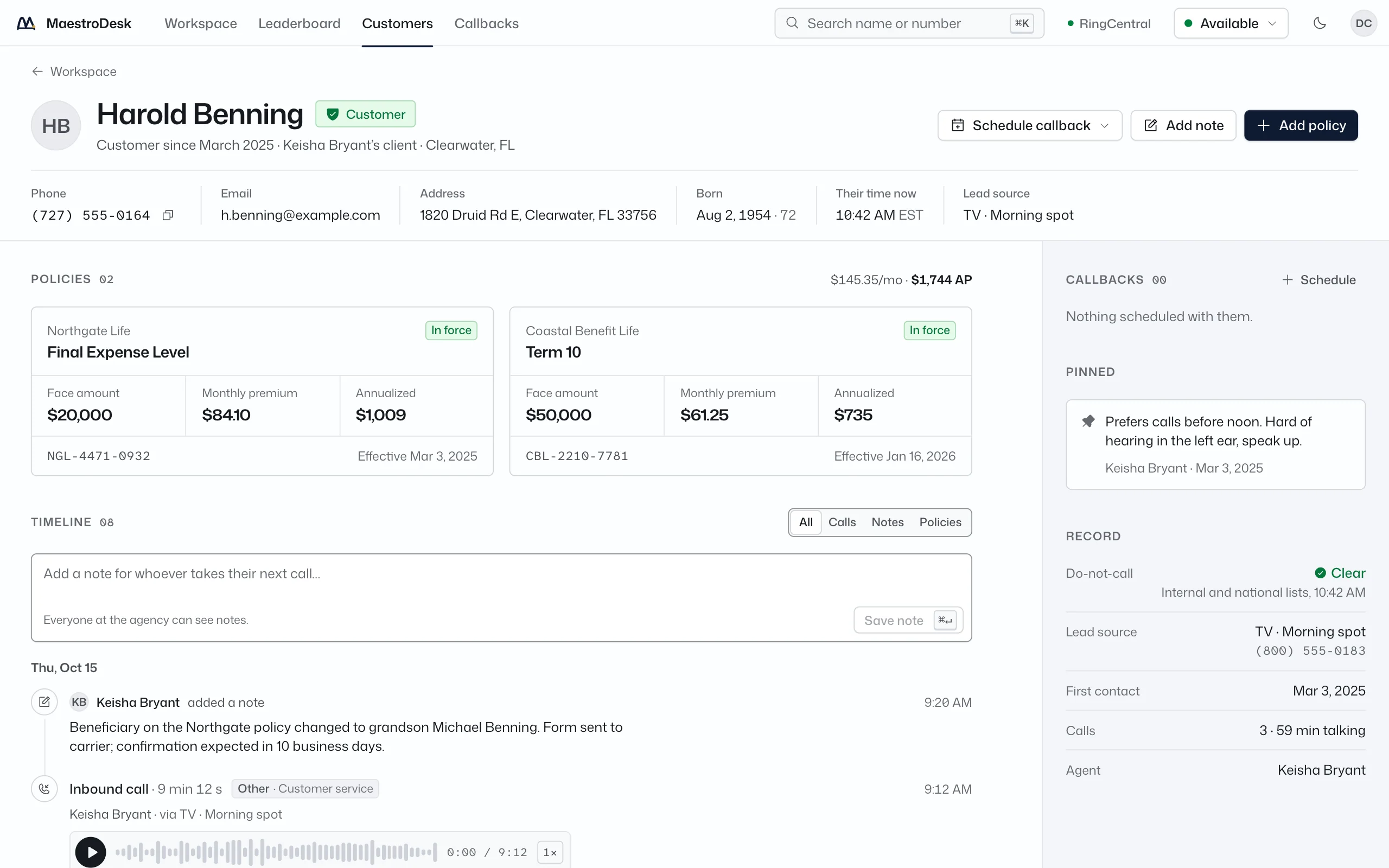
The customer record

One timeline per customer.

  • Calls, outcomes, notes, callbacks and policy events in one timeline, newest first, filterable by kind.
  • Recordings play straight from RingCentral inside the record, at 1x, 1.5x or 2x, with seeking.
  • Search by name or by the last digits of a phone number. Results show status, city and the last meaningful event.
  • Policies with carrier, product, premium and status. The policy number lands when the carrier issues it.
A customer record: policies held, contact details and a single timeline of calls, notes, callbacks and policy events
The manager's desk

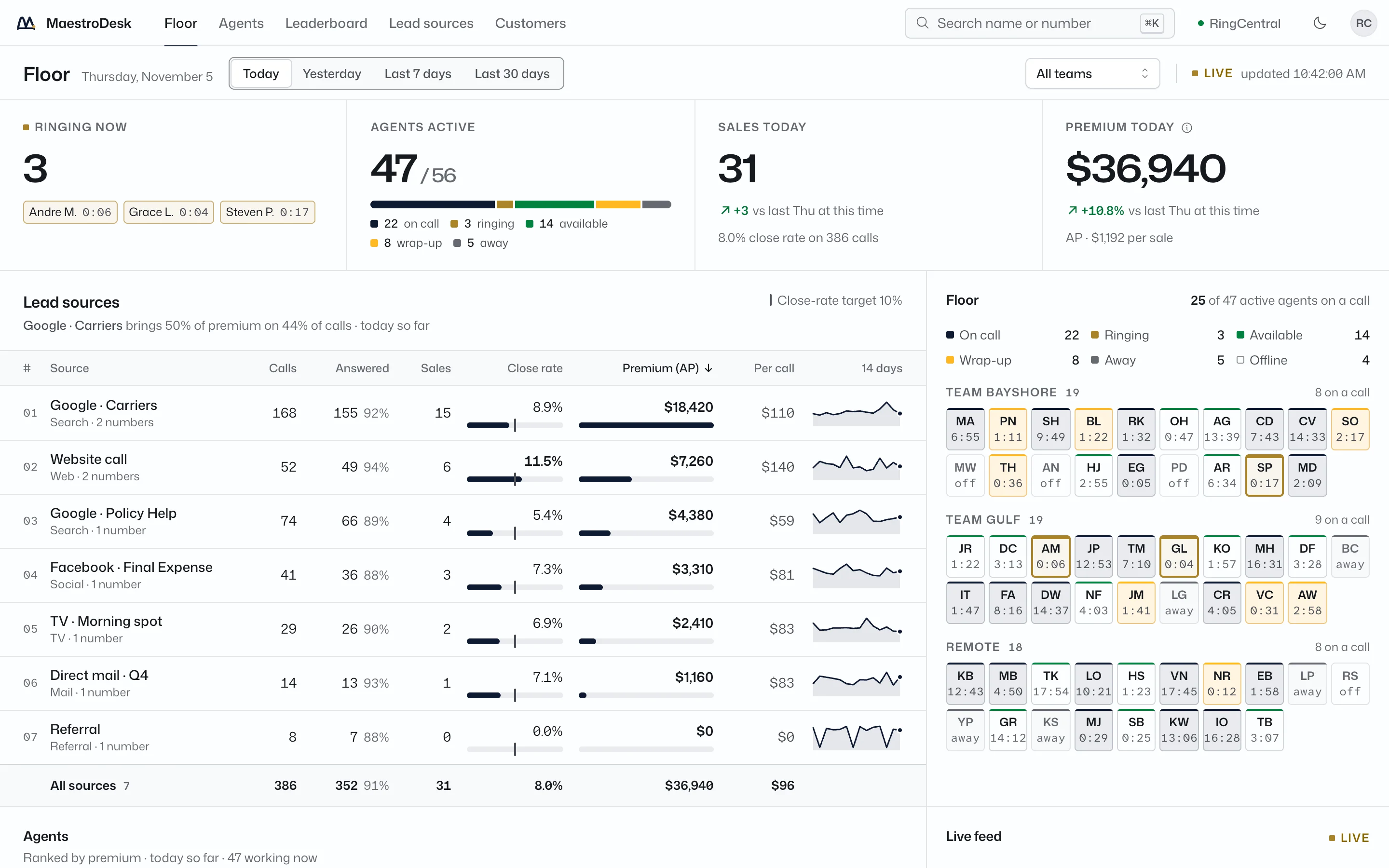
The floor, live, without asking anyone.

  • Calls ringing now, agents active, sales today and premium today, moving the moment a call ends.
  • Lead sources ranked by premium with calls, answered, sales, close rate, premium per call and a 14-day trend each.
  • Every agent's status at a glance: on call, ringing, wrap-up, available, away, offline, with time in state.
  • Today, yesterday, last 7 or last 30 working days, with the same days before as the comparison.
  • One agent's day in a click: calls, outcomes, hours, premium and the recent calls behind the numbers.
The live floor dashboard in the light theme
The leaderboard

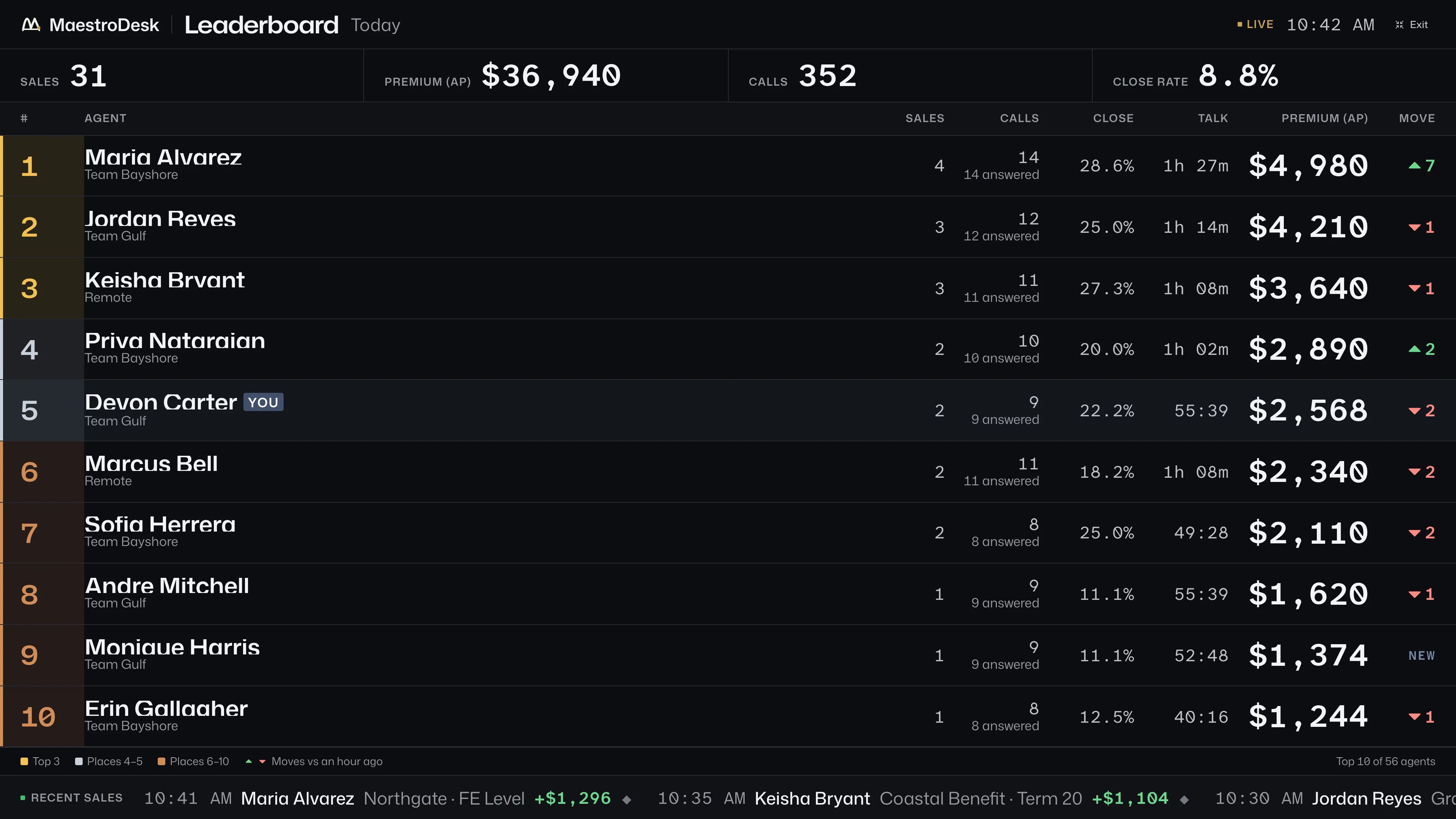
A board the floor plays to.

  • Top ten by premium with gold, silver and bronze tiers, and move arrows against an hour ago.
  • A full-screen mode built for the office TV: large figures, high contrast, readable from across the room.
  • A live tape of every sale as it is logged: agent, carrier, product, premium.
  • Ties share a place. An agent with nothing sold yet sits under the board, not on it.
The floor TV leaderboard in full screen
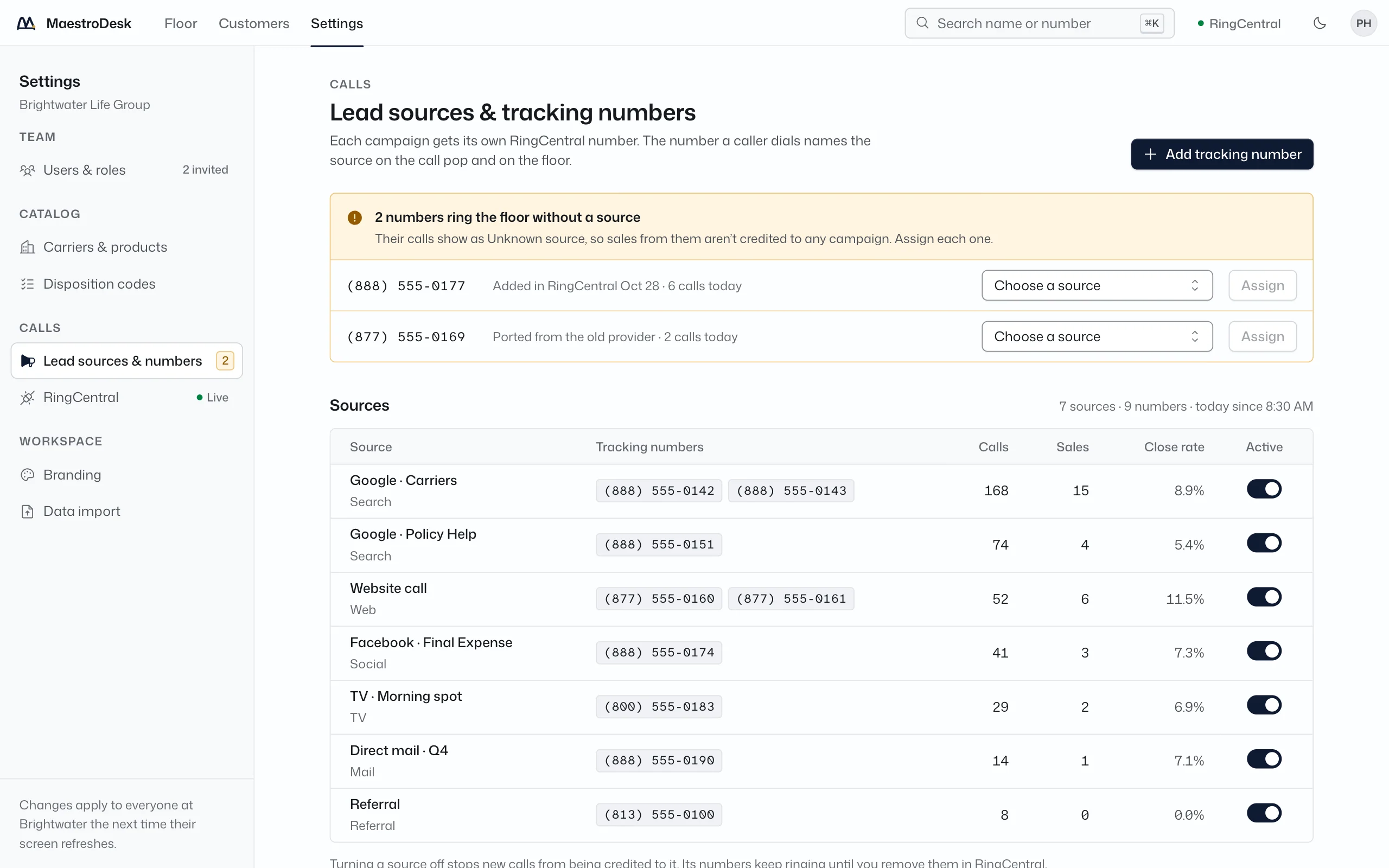
Lead sources

Know which leads pay.

  • Each vendor or campaign gets its own tracking numbers. The number the caller dialed sets the source.
  • Calls, sales, premium and close rate per source, today or over a range, so a bad vendor shows up this week, not next quarter.
  • Numbers that match no source are listed as unassigned until you place them.
  • Sales feed back to Google Ads as offline conversions, so the campaign that made the phone ring gets the credit.
Lead sources in Admin: each source with its channel, tracking numbers and status
Admin

Set it up once. Change it without a ticket.

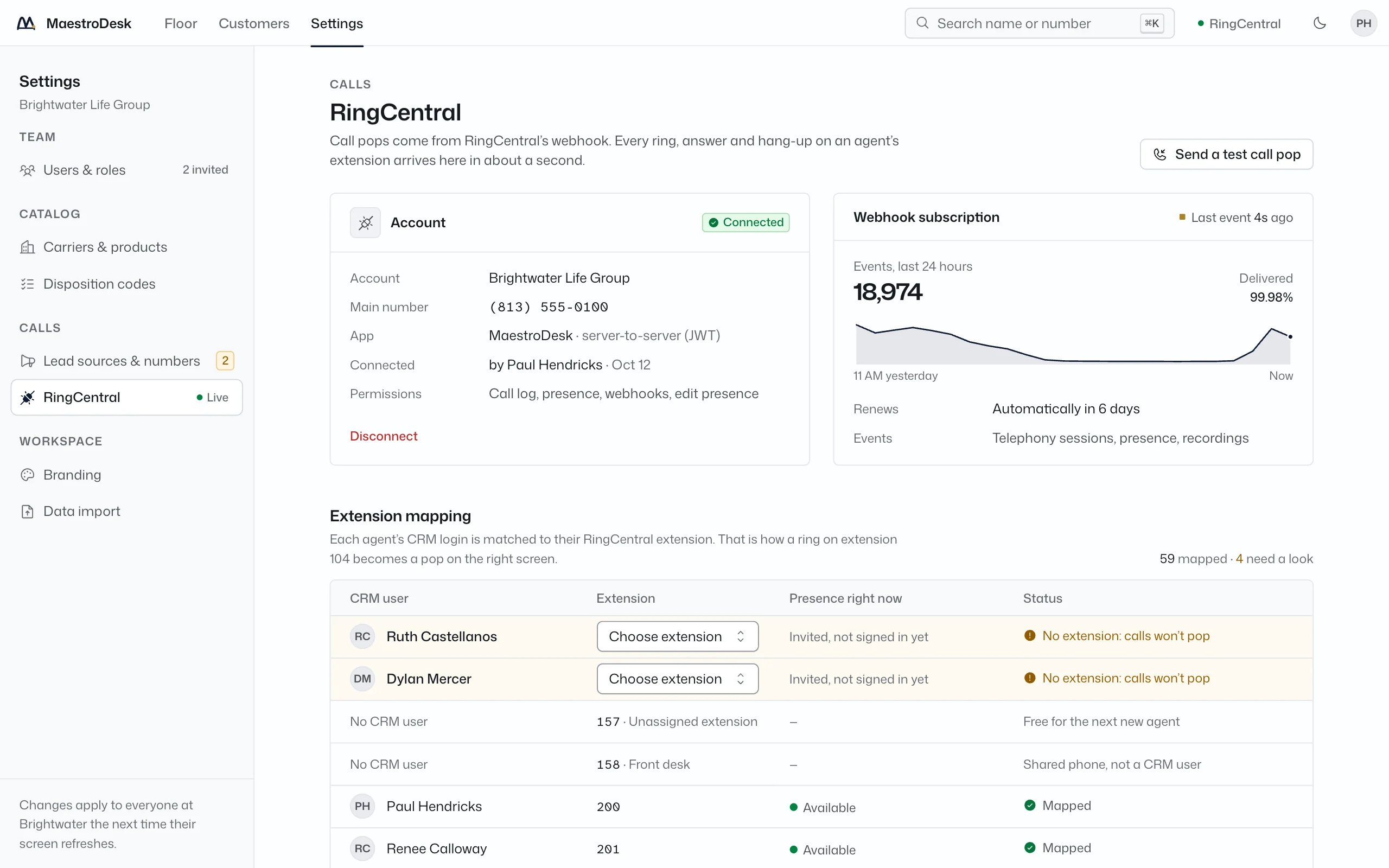
  • RingCentral: the connected account, webhook health, extension mapping, presence sync and a test call pop.
  • Carriers and products, outcome codes and shortcut keys, roles for agents, managers and admins.
  • The do-not-call list, with who added each number, when and why. A listed caller pops in red and cannot be missed.
  • CSV import with column matching and a review step: bad numbers, duplicates, missing dates of birth, numbers on the do-not-call list.
  • Branding: your name, your colors and your logo on every screen.
RingCentral settings in Admin: connected account, subscription health, extension mapping and presence sync

Ready to conduct your agency?

A 20-minute walkthrough with a live floor on screen.